Tips
Ali Abdaal's 8 tips for typing fast, and the one we see differently
Ali Abdaal types over 150 words per minute. His eight tips at a glance, what we make of them and how to put them into practice with Keypacer.
Automatically translated from German. Read the original
Ali Abdaal was a doctor before he became one of the best-known productivity YouTubers. In his video "How I Type REALLY Fast" he shows himself typing at around 155 words per minute and explains, in eight tips, how to get there. The video is entertaining, gets to the point quickly and is worth it just to watch him type.
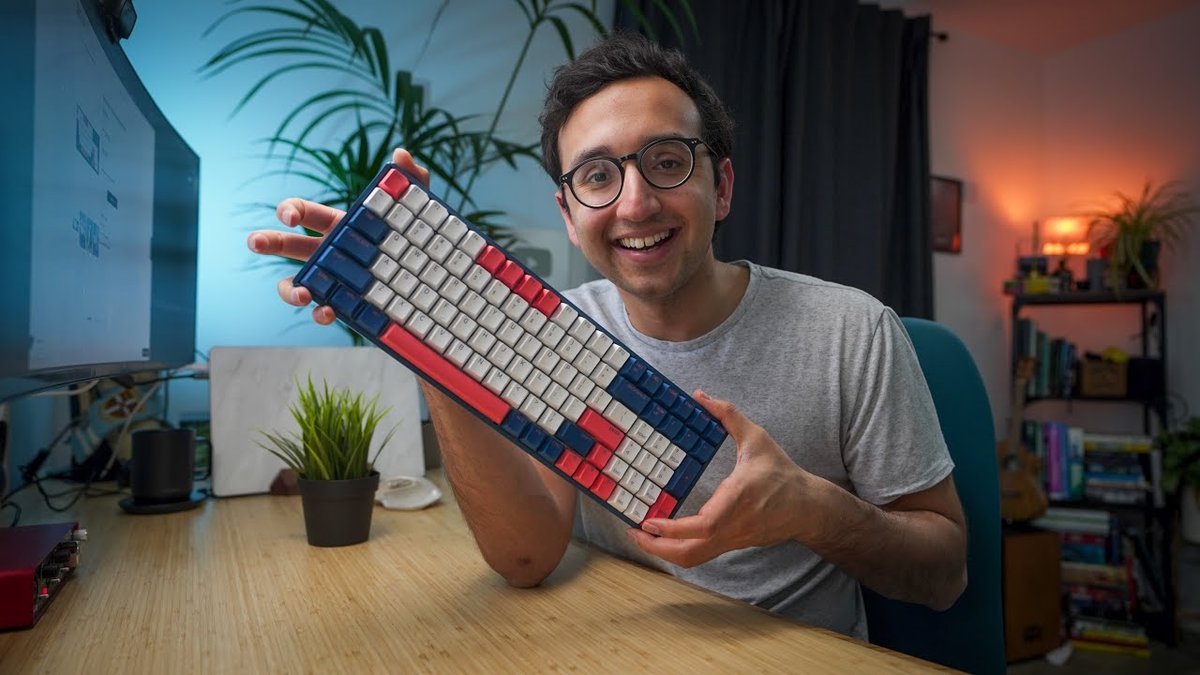 Load videoHow I Type REALLY Fast (156 Words per Minute) · Ali Abdaal
Here are his tips, each with our take. We fully agree with seven of them and see one differently.
1. Learn keyboard shortcuts
Instead of hitting Backspace ten times, delete a whole word at once: Option + ⌫ on a Mac, Ctrl + Backspace on Windows. On a Mac, ⌘ + ⌫ even deletes the whole line.
Our take: A good tip that saves time straight away. The only thing that saves more is not having to correct in the first place.
2. Take typing tests regularly
Ali regularly checks his speed with short one-minute tests. That way he can see whether he is making progress.
Our take: Measuring is motivating. But don't just watch your words per minute, watch your errors too. Accuracy before speed explains why.
3. Practise your weak keys on purpose
Ali uses a trainer that spots the letters he gets stuck on and drills exactly those. He does point out that this produces a lot of made-up words.
Our take: This is the most effective tip on the list, and it is exactly how Keypacer works. Every keystroke is measured, and the next drill is built from the keys and letter pairs where you hesitate or slip. Alongside short focus rounds come real words and full sentences, so what you practise also holds up in normal text.
4. Leave the mouse alone
The more you do from the keyboard, the less your hands jump back and forth between keyboard and mouse. Ali uses an app launcher for this, which lets him open apps and files from the keyboard.
Our take: True, and it keeps your hands on the home row. That also helps while learning, because your fingers lose their place less often.
5. Don't look at the keyboard
Ali is clear that this makes you slower at first, and that it is worth it anyway.
Our take: Fully agreed, this is the heart of touch typing. When your eyes still want to drop: slow down instead of looking, find the home row by the bumps on the keys, and if you need to, cover your hands with a cloth for a while. In Keypacer you find the next key on the on-screen keyboard, and the guide fades out by itself for keys you type reliably. You’ll find more exercises against glancing down in Learn to type without looking at the keyboard.
6. Keep your fingers on the home row
On the left your fingers rest on A S D F, on the right on J K L ;. The bumps on F and J help you find them, and after each keystroke the finger returns.
Our take: The foundation for everything else. Learn touch typing in 30 days shows how to make it stick in four weeks.
7. Type harder
Ali has noticed that he is faster when he hits the keys harder. He says himself that he has no data to back this up.
This is where we disagree. It is our view, not a hard rule: we think a light touch is the better choice. A key already registers with light pressure, and every harder stroke puts extra strain on your fingers and tendons, which adds up over a long working day. A light touch is also quieter and usually more even. It goes well with straight wrists and a keyboard lying flat at elbow height.
Still, everyone's hands type a little differently. The best thing is to try both, say for a few days each, and pay attention to how accurately you type and how your hands feel in the evening. Keypacer shows you the speed and accuracy of every session, so you can compare the two directly. Then go with whatever suits you.
8. Treat progress like a game
Ali breaks his goal into small stages, for example five more words per minute at a time. That keeps every step within reach.
Our take: Small goals keep motivation high. In Keypacer you set a weekly goal, such as four days of five minutes each, and see your streak, your personal bests and every new key you have mastered.
How to put the tips into practice with Keypacer
- Weak keys (tip 3): Keypacer finds them in the first few minutes and builds your drills from them, with no setup needed.
- Not looking (tip 5): The on-screen finger guide shows you the way and steps back as soon as you no longer need it.
- Harder or lighter (tip 7): The speed and accuracy of each session show you which works better for you.
- Small goals (tip 8): Weekly goal, streak and personal bests make your progress visible.
Learn it with Keypacer: free, no sign-up, right in your browser. Start training now